
How often updates arrive
CargoScope checks every active shipment on its own schedule: more often around gate-in, departure, arrival, discharge, and inland moves, and every few hours while the vessel is at sea. For some carriers, new events are also sent to CargoScope as soon as they are posted. Sync on a shipment asks its line for the latest straight away.
What depends on the carrier
A milestone appears in CargoScope once the carrier or terminal publishes it, which can be hours after the container moved. Detail varies by carrier: some report rail and inland legs, vessel details, and holds; others report only port events.
What CargoScope does automatically
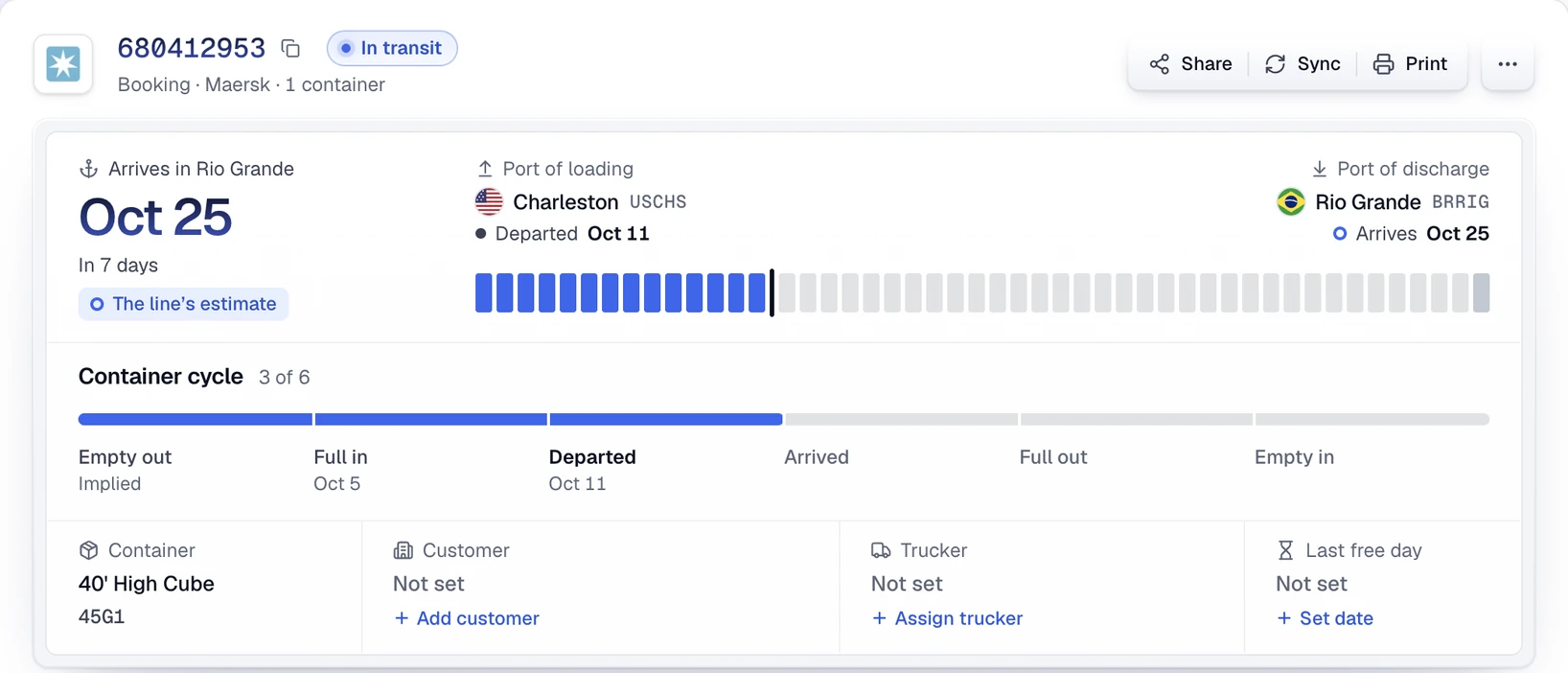
Each check updates the shipment timeline and the latest carrier ETA. CargoScope emails you when a container reaches the destination port, leaves the terminal, and is returned empty, and the workspace flags holds, long dwell, and overdue arrivals.
- Timeline updated after every check
- Latest carrier ETA
- Milestone email alerts
- At-risk and overdue-arrival flags
No GPS positions
CargoScope does not show GPS positions for containers. It shows the milestones carriers and terminals report and flags the shipments that need attention.
What you'll see in CargoScope
Each record says how fresh it is: when CargoScope last checked and when the line last reported an event. That is the honest answer to how current a shipment is.
Questions
Can I track a container by container number?
Yes. CargoScope is designed to help users track ocean containers by container number and monitor shipment visibility from one dashboard.
Will this page show sample tracking results?
No. The form on this page saves your reference and takes you to account setup. Tracking starts in your workspace, and CargoScope only shows events the carrier has reported, never sample data.