Ocean cargo tracking

Ocean cargo tracking focused on containerized freight.

Keep containerized ocean cargo visible from the first tracking request through ETA changes, milestones, alerts, and customer updates.

30-day free trialNo credit cardContainer-number first

Container tracking

Start with the container number.

Live carrier monitoring starts after your workspace is created. Coverage varies by carrier and lane.

Workflow preview

Container number to shared operating context.

Container number

Start from the ocean container identifier your team already has.

Milestones

Review available shipment events, the current carrier ETA, and source context.

Alerts

Focus on changes, delays, and exception risk before status requests pile up.

Built for logistics teams

Product fit for freight operations teams that need status checks, exception review, and customer updates in one place.

Freight forwardersImporters & exportersCustoms brokersDrayage dispatch

What changes

A more specific container workflow for this team.

Replace fragmented status checks

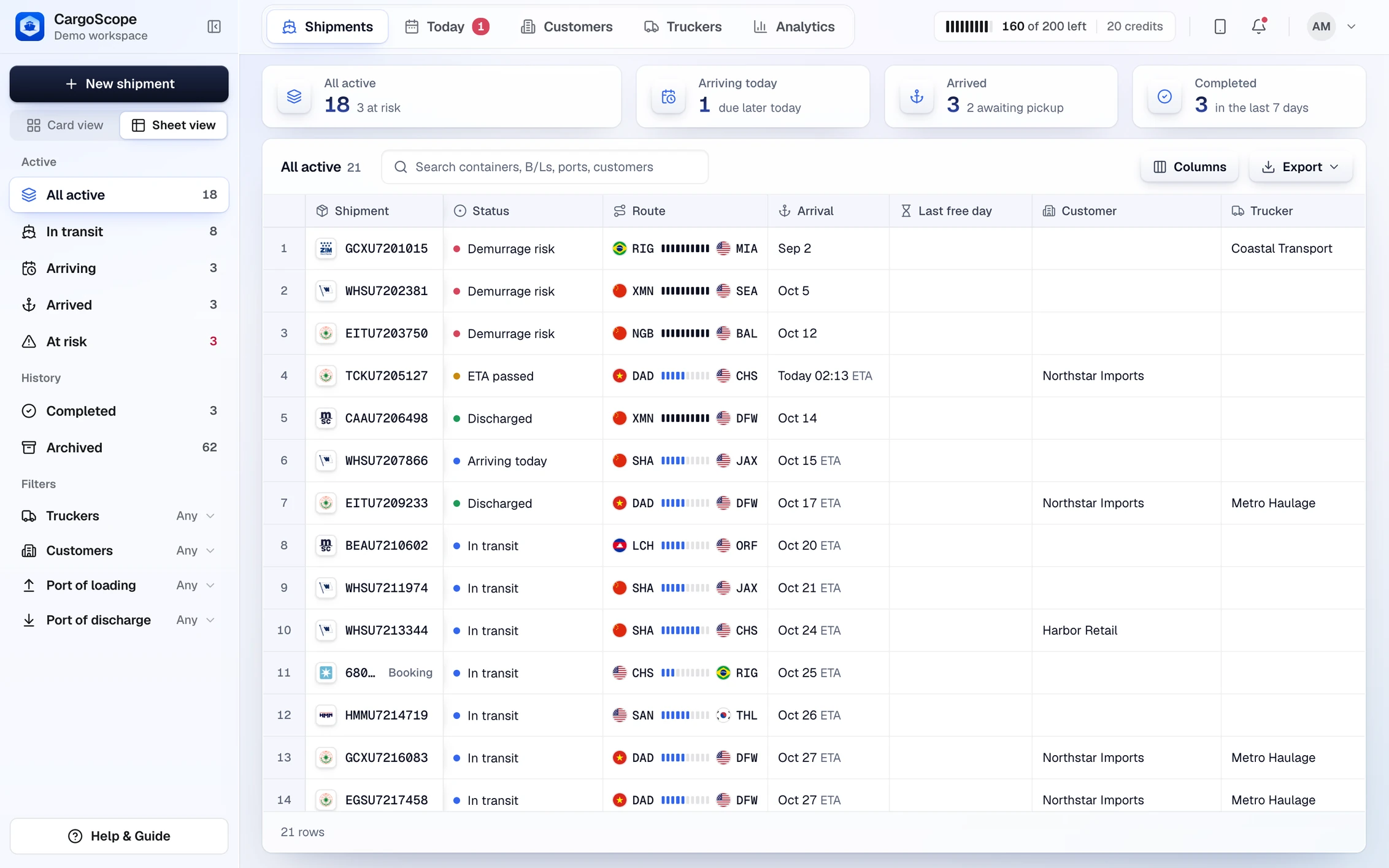
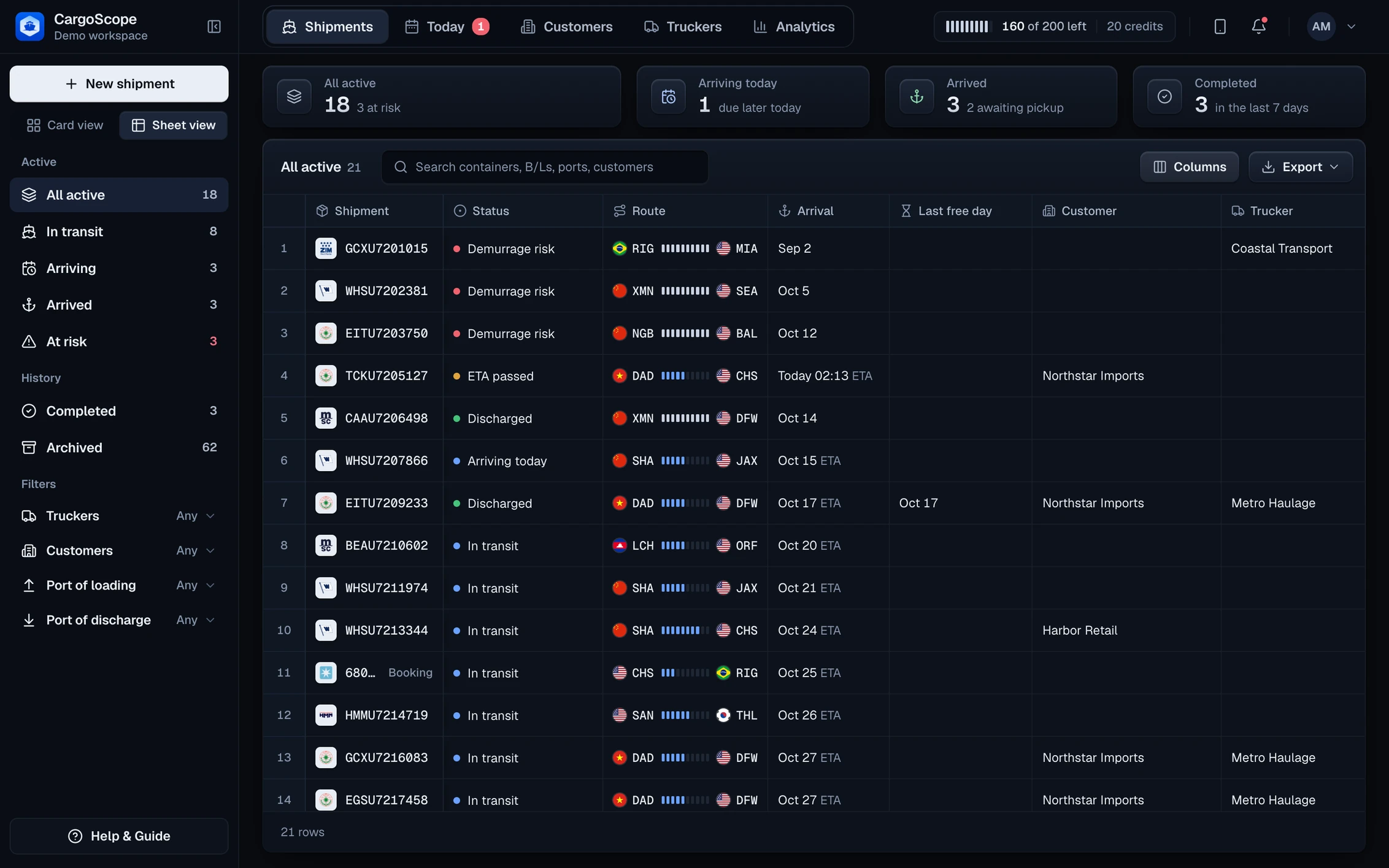
CargoScope gives operations teams a shared dashboard for active containers, helping reduce carrier-portal checks and manual customer-update loops.

Monitor the signals that matter

Teams can follow shipment milestones, ETA changes, delay risk, and exception workflows from one place instead of chasing updates across tools.

Containerized cargo visibility

CargoScope keeps the public workflow tied to the container identifier so teams can review available ocean and inland milestones without confusing the shipment record with a generic cargo lookup.

Before and after

From scattered checks to shared shipment context.

Before CargoScope

  • CargoScope gives operations teams a shared dashboard for active containers, helping reduce carrier-portal checks and manual customer-update loops.
  • Teams can follow shipment milestones, ETA changes, delay risk, and exception workflows from one place instead of chasing updates across tools.
  • Customers ask for updates before the team has a clean shared answer.

With CargoScope

  • CargoScope keeps container milestones, the current carrier ETA, and caveats in one workspace.
  • Teams can review changed shipments before writing customer status language.
  • Related pages keep carrier, lane, port, and glossary context easy to explore.

Workflow note

CargoScope is useful when the team needs one place to understand what changed and what still needs verification.

CW

CargoScope workflow note, freight operations

FAQ

What teams ask first.

Can I track a container by container number?

Yes. CargoScope is designed to help users track ocean containers by container number and monitor shipment visibility from one dashboard.

Does CargoScope show fake tracking results on public pages?

No. Public forms capture tracking intent and direct users to signup or tracking workflows. CargoScope does not show fake shipment data.

Start tracking containers with CargoScope.

Track a container free, review open pricing, or create an account when you are ready to save shipments.