
Bridge ocean visibility and truck coordination
Freight brokers working around imported containers need to know when a shipment changed before it disrupts pickup planning, customer delivery promises, or carrier coordination. CargoScope keeps available ocean, terminal, rail, and handoff context connected to the container record.
Reduce status chase work
Manual status checks create delays when a broker is coordinating customers, carriers, warehouses, and appointment windows. CargoScope helps identify containers that changed and need review today.
- ETA and milestone change visibility
- Terminal and outgate context where available
- Exception workflows for customer and carrier updates
Plan around downstream risk
A container delay can ripple into appointment failures, equipment shortages, detention exposure, and customer escalation. CargoScope helps freight brokers keep the next action visible while avoiding unsupported timing promises.
What you'll see in CargoScope
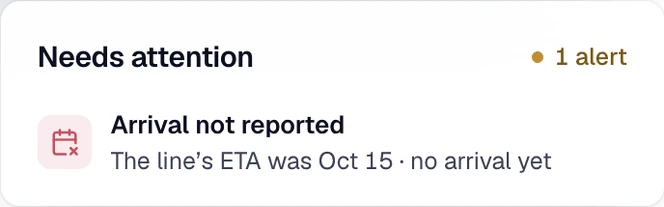
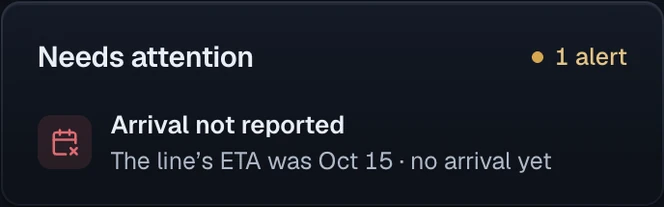
The line’s ETA has passed and no arrival has posted, so the shipment shows Arrival not reported. The broker confirms the new timing with the line before arranging the pickup appointment.
Questions
Can I track a container by container number?
Yes. CargoScope is designed to help users track ocean containers by container number and monitor shipment visibility from one dashboard.
Will this page show sample tracking results?
No. The form on this page saves your reference and takes you to account setup. Tracking starts in your workspace, and CargoScope only shows events the carrier has reported, never sample data.