
Dispatch needs container visibility before pickup
Drayage carriers depend on terminal availability, holds, rail context, appointment timing, outgate status, delivery windows, and empty-return planning. CargoScope centralizes available shipment signals so dispatchers can review changed containers without rebuilding status from separate portals.
Prioritize the containers that changed
The useful question is often not whether a container exists, but whether it is available, delayed, held, moved to rail, outgated, delivered, or due for empty return. CargoScope helps teams focus on the shipments that changed and need the next action.
- Terminal availability and hold context where available
- Rail, outgate, delivery, and empty-return milestones
- Exception visibility for dispatch and customer updates
Reduce preventable free-time pressure
Better visibility helps dispatch teams coordinate earlier around pickup pressure, appointment changes, and empty-return timing. CargoScope does not calculate unsupported terminal fees on this page; it helps teams surface risk and verify exact rules with the relevant terminal, carrier, and contract context.
What you'll see in CargoScope
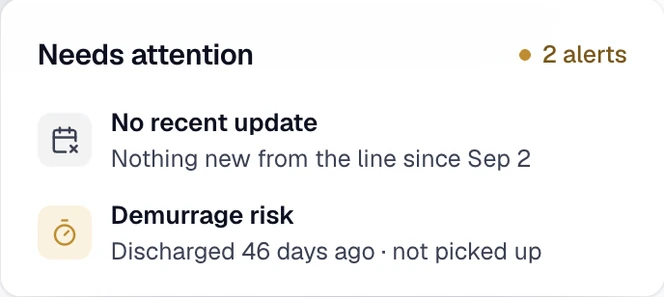
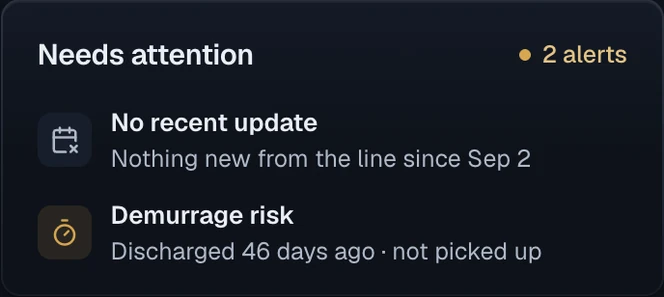
A discharged container still has no pickup event, so its Needs attention card shows Demurrage risk. Dispatch moves it up the pickup list and confirms the remaining free time with the terminal.
Questions
Can I track a container by container number?
Yes. CargoScope is designed to help users track ocean containers by container number and monitor shipment visibility from one dashboard.
Will this page show sample tracking results?
No. The form on this page saves your reference and takes you to account setup. Tracking starts in your workspace, and CargoScope only shows events the carrier has reported, never sample data.