
Coordinate release work with shipment visibility
Customs brokers need to understand when containers are approaching the port, when terminal events change, and which shipments may need customer or documentation follow-up. CargoScope keeps the workflow container-number-first so teams can review available milestones without jumping between scattered status checks.
Watch holds, terminal pressure, and handoffs
Container status can affect exam planning, customer communication, drayage scheduling, free-time pressure, and delivery timing. CargoScope helps teams focus on shipments that changed or need attention instead of manually refreshing every record.
- Arrival, discharge, and terminal context where available
- Holds and exception awareness for follow-up work
- Shared visibility for customers, brokers, and operations teams
Keep customer updates consistent
A shared visibility workflow helps customs broker teams answer status questions with the same shipment context, especially when a container is delayed, held, unavailable, or waiting on the next handoff.
What you'll see in CargoScope
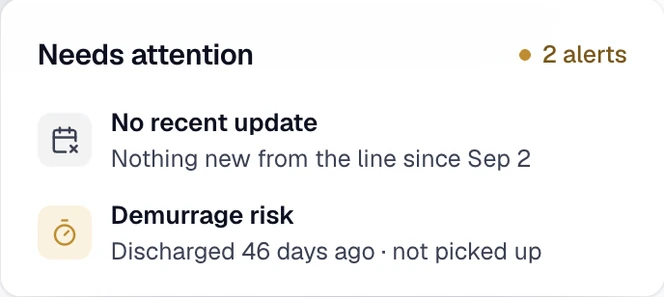
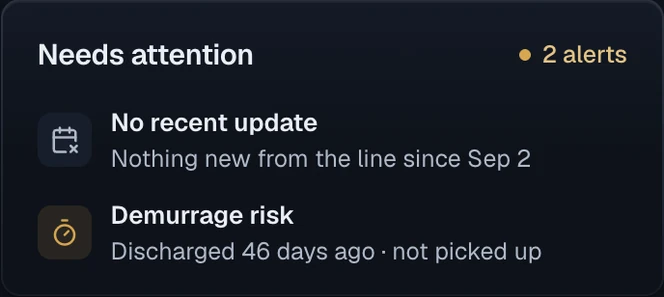
The Needs attention card keeps an operational exception beside its shipment. This illustrative example shows discharge without pickup; when a line reports a customs hold, the broker checks the reported reason and confirms release before arranging collection.
Questions
Can I track a container by container number?
Yes. CargoScope is designed to help users track ocean containers by container number and monitor shipment visibility from one dashboard.
Will this page show sample tracking results?
No. The form on this page saves your reference and takes you to account setup. Tracking starts in your workspace, and CargoScope only shows events the carrier has reported, never sample data.