Shipping line tracking

COSCO Shipping container tracking by container number.

Enter the complete COSCO Shipping container number, then keep available ocean, terminal, trucking, rail, ETA, and exception context in one CargoScope shipment record.

30-day free trialNo credit cardContainer-number first

Reviewed July 16, 2026

Container tracking

Start with the container number.

Live carrier monitoring starts after your workspace is created. Coverage varies by carrier and lane.

Shipping line

COSCO Shipping

Identifier

SCAC COSU

Container prefixes

Use the exact prefix printed on the container

Tracking method

Container-number-first shipment tracking

Workflow preview

Container number to shared operating context.

Container number

Start from the ocean container identifier your team already has.

Milestones

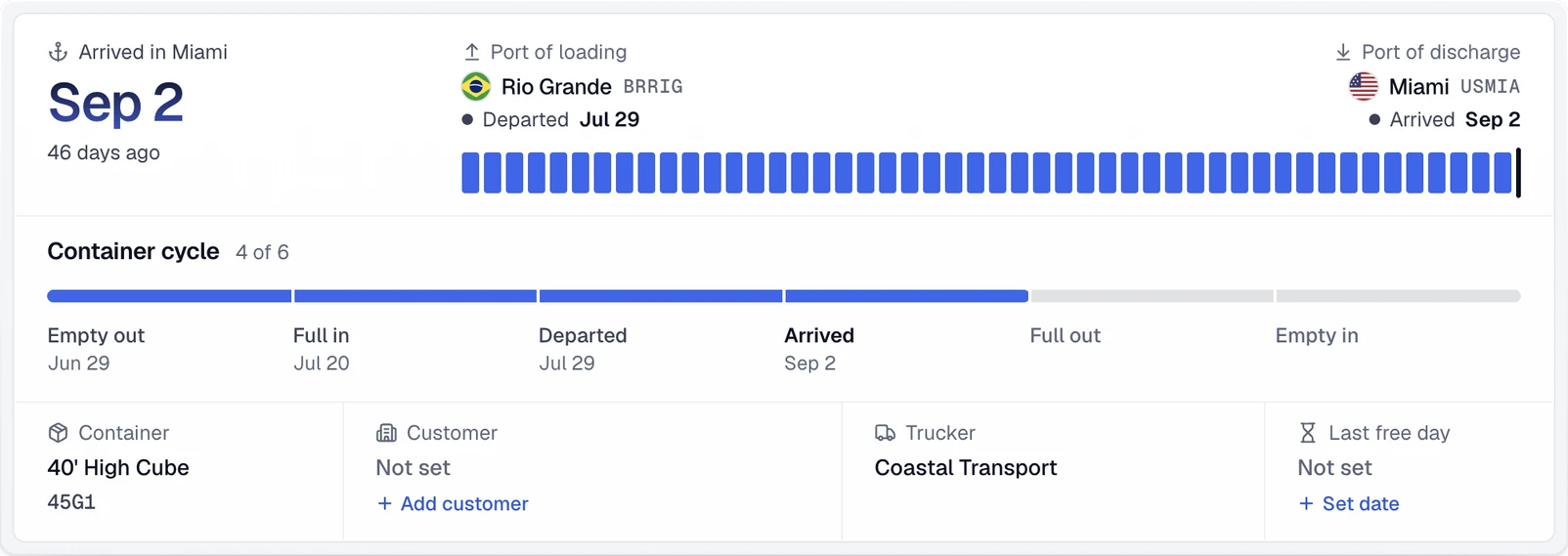
Review available shipment events, the current carrier ETA, and source context.

Alerts

Focus on changes, delays, and exception risk before status requests pile up.

Built for logistics teams

Product fit for freight operations teams that need status checks, exception review, and customer updates in one place.

Freight forwardersImporters & exportersCustoms brokersDrayage dispatch

What changes

A more specific container workflow for this team.

Use the complete COSCO container number

Start with the four-letter owner code and seven digits printed on the equipment or shipment record. COSU is COSCO Shipping's SCAC, but a SCAC should not be substituted for the owner code printed on the container. CargoScope keeps the public workflow container-number first and saves the shipment so teams can review later movement without rebuilding the record from scratch.

  • Copy all four letters and seven digits
  • Treat COSU as carrier context, not a replacement for the printed equipment code
  • Use the printed equipment number instead of guessing from the carrier name

CargoScope and COSCO's full-chain tracker

COSCO Shipping publishes an official full-chain cargo-tracking service that can cover sea freight and connected trucking, warehousing, or customs operations in its own system. CargoScope is independent and provides a shared multi-carrier record for monitoring available milestones and changes. COSCO and the responsible terminal remain authoritative for direct carrier data, documents, releases, and operating instructions.

Follow each COSCO handoff in order

A COSCO shipment can pass through origin gates, vessel loading, departure, transshipment, destination arrival, discharge, rail or truck movement, outgate, delivery, and empty return. Intermediate movements should not be read as final destination readiness. Review the event sequence and current ETA together, then confirm terminal availability, holds, release status, appointments, and free-time terms with their official sources.

  • Separate transshipment activity from final destination activity
  • Watch arrival-to-discharge and discharge-to-inland gaps
  • Verify terminal and release instructions in the responsible official system

Before and after

From scattered checks to shared shipment context.

Before CargoScope

  • Start with the four-letter owner code and seven digits printed on the equipment or shipment record. COSU is COSCO Shipping's SCAC, but a SCAC should not be substituted for the owner code printed on the container. CargoScope keeps the public workflow container-number first and saves the shipment so teams can review later movement without rebuilding the record from scratch.
  • COSCO Shipping publishes an official full-chain cargo-tracking service that can cover sea freight and connected trucking, warehousing, or customs operations in its own system. CargoScope is independent and provides a shared multi-carrier record for monitoring available milestones and changes. COSCO and the responsible terminal remain authoritative for direct carrier data, documents, releases, and operating instructions.
  • Customers ask for updates before the team has a clean shared answer.

With CargoScope

  • CargoScope keeps container milestones, the current carrier ETA, and caveats in one workspace.
  • Teams can review changed shipments before writing customer status language.
  • Related pages keep carrier, lane, port, and glossary context easy to explore.

Workflow note

CargoScope is useful when the team needs one place to understand what changed and what still needs verification.

CW

CargoScope workflow note, freight operations

FAQ

What teams ask first.

Should I replace the printed container prefix with COSU?

No. COSU is COSCO Shipping's SCAC. Enter the exact four-letter owner code and seven digits printed on the equipment.

Does COSCO publish its own container tracker?

Yes. COSCO Shipping provides an official full-chain cargo-tracking service for direct carrier searches.

Is CargoScope officially affiliated with COSCO Shipping?

No. CargoScope is an independent multi-carrier visibility product and does not claim an official COSCO Shipping partnership.

Start tracking containers with CargoScope.

Track a container free, review open pricing, or create an account when you are ready to save shipments.