
Terminal visibility
Norfolk International Terminals is part of the Port of Virginia gateway. The port's official operational services expose container availability, holds, last-free-day, out-time, empty-return, vessel, truck, and rail event context to authorized users and systems. CargoScope helps teams keep available end-to-end milestones together; the Port of Virginia remains authoritative for live terminal status, gates, appointments, releases, and local instructions.
- Port of Virginia terminal with vessel, truck, and rail handoffs
- Availability, hold, last-free-day, outgate, and empty-return context requires official verification
- Confirm current gate hours and operating instructions with the Port of Virginia
Carrier milestones and terminal confirmation
CargoScope follows ocean-container journeys worldwide through supported shipping lines. Terminal and rail milestones appear only when supplied for that shipment. A directory page does not mean a direct terminal integration. Confirm live availability, holds, customs release, appointments and free time with the facility or responsible carrier before dispatch.
- Reported discharge and terminal location
- Rail, outgate, and delivery handoffs where available
- Empty-return and exception context for follow-up work
Free-time and exception pressure
Terminal delays can create demurrage, detention, customer-update work, missed delivery appointments, and dispatch rework. CargoScope does not publish unsupported terminal fee calculations on these pages; it helps teams surface status changes and risk signals so the right person can verify exact terminal, carrier, and contract rules before costs escalate.
What you'll see in CargoScope
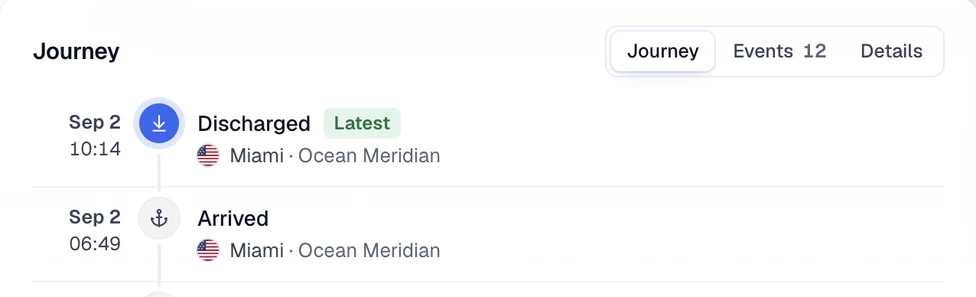
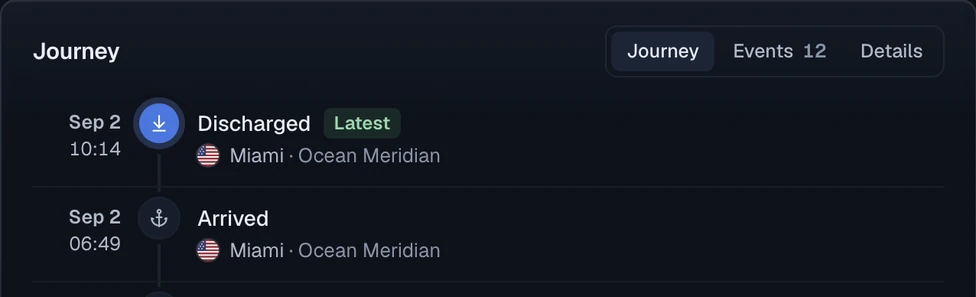
The timeline shows confirmed arrival and discharge separately, as in this illustrative example. A terminal appears when the line reports it; availability, holds and free time still come from the terminal.
Official sources
Questions
How do I track a container at Norfolk International Terminals (NIT)?
Start with the ocean shipment’s supported reference in CargoScope. The terminal context comes from available carrier data; use the operator’s tools for live cargo release and collection instructions.
Is CargoScope officially partnered with Norfolk International Terminals (NIT)?
CargoScope does not claim an official terminal or port partnership on this page. It helps teams centralize available shipment milestones and tracking updates.
Can CargoScope show Norfolk International Terminals (NIT) availability or outgate events?
Carrier-reported terminal, rail and outgate events may appear on the shipment timeline. CargoScope does not guarantee a live terminal availability or holds feed. A reported arrival or discharge does not authorize pickup.